Integrate with Claude Code
Graft’s deepest integration is with Claude Code. Once wired in, Graft rides along in every session: pulling relevant nodes into prompts and rebuilding the graph in the background.
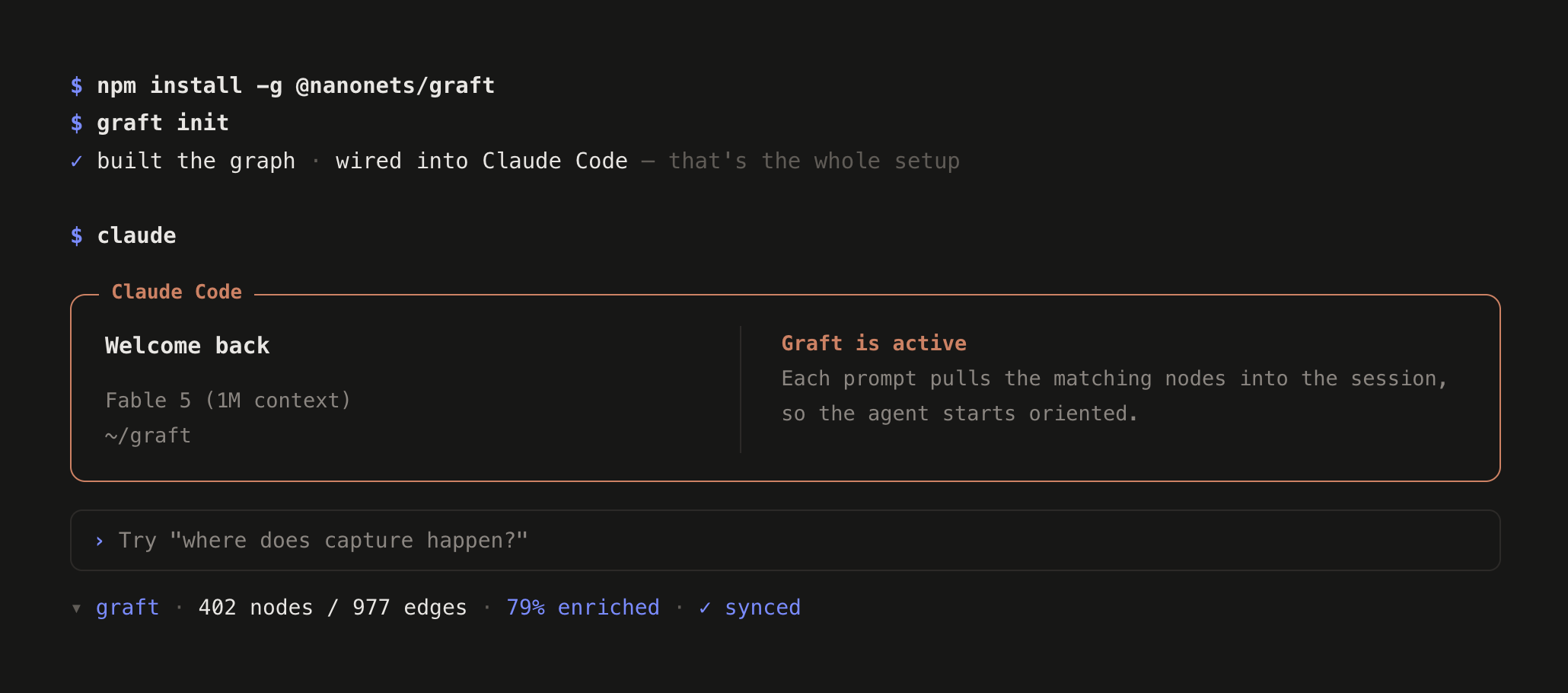
Wire up Claude Code
Section titled “Wire up Claude Code”-
Run init targeting Claude Code
Terminal window graft init --agents claudeThis drops a statusline and hooks into
.claude/, skipping the agent selection prompt. -
Commit the wiring
Terminal window git add .claude && git commit -m "wire in graft"Your teammates get the wiring when they pull. They run
graft buildonce to generate their local graph. -
Start a Claude Code session
From the next session on, Graft automatically:
- Loads matching context nodes into each prompt
- Syncs the graph in the background after every agent turn
- Tracks uncommitted, unstaged, and staged changes
How it works under the hood
Section titled “How it works under the hood”graft init always wires up Claude Code, and Claude Code gets more than the skill file above. From then on, any Claude Code session opened in the repo gets:
- a live statusline — graph size, % enriched, and a
⚠ N stalewarning when the code has moved ahead of the graph - auto-sync — every graft query brings the graph up to date first, so an answer always describes the code as it is right now, uncommitted edits included. A query refreshes only what it reads; the markdown under
graft/is refreshed by the background rebuild at the end of a turn that touched code. Both are structural and$0— auto-sync never calls the LLM on its own - context on tap — each prompt pulls the matching nodes into the session; editing a file surfaces what depends on it (“blast radius”); new sessions start with the repo map
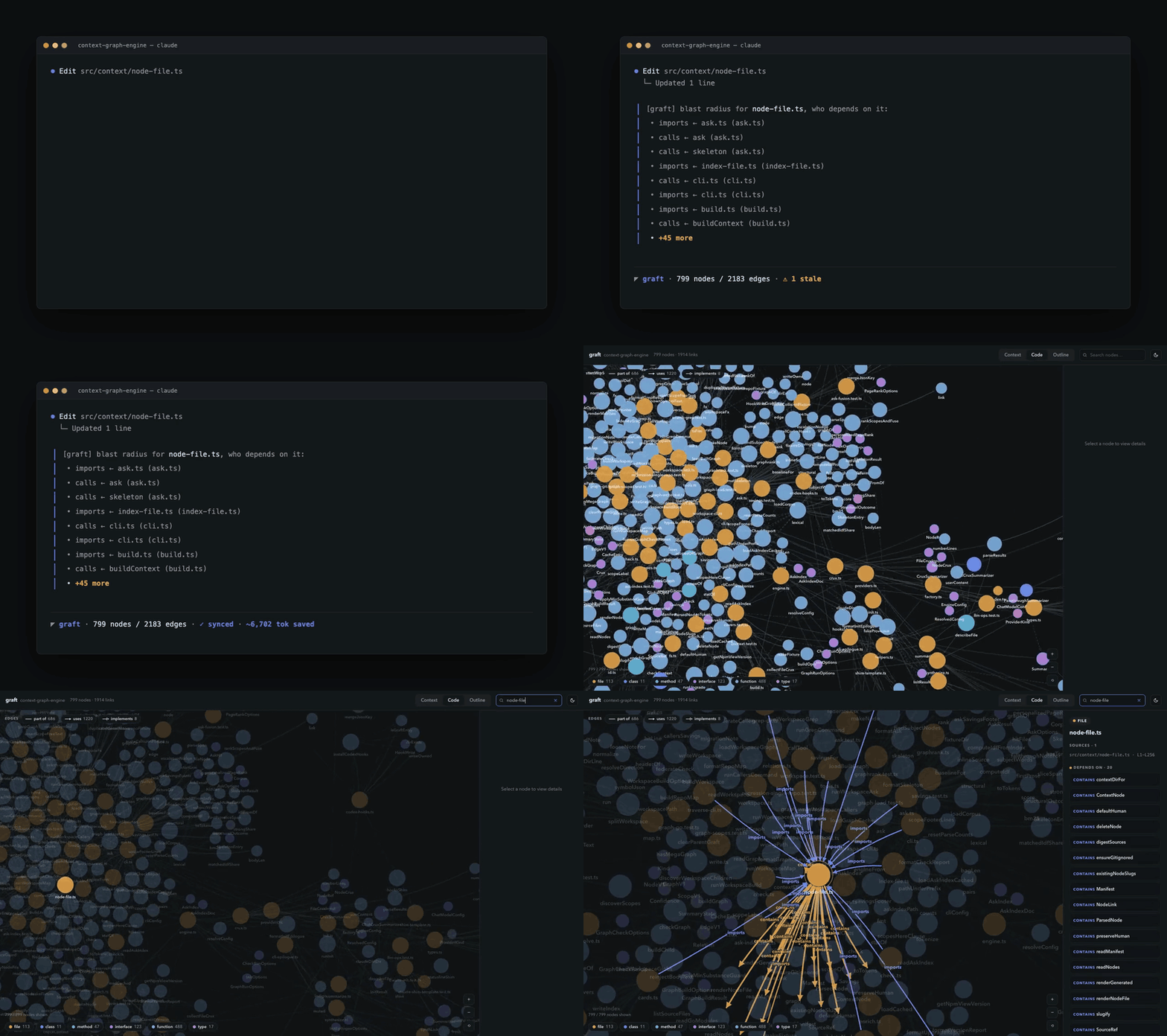
edit a file → blast radius appears inline → graph auto-resyncs → confirmed in graft viz
graft init is idempotent and never clobbers your existing .claude/settings.json — it merges its blocks and leaves the rest alone. Want the LLM summaries too? Run graft build --deep (with a key) whenever you like; auto-sync will never do it for you.
See also
Section titled “See also”- Set Up MCP Server — Alternative integration via the Model Context Protocol.